








Clinical insight
When to Replace Your Alvera AirLink Mini Connector | Signs to Watch For | Elarix Medical
Learn when and why to replace your Alvera AirLink Mini Connector, including the key physical and performance signs that indicate it is time for a new one.
- Understanding the Role of the Alvera AirLink Mini Connector
- Physical Signs That Indicate Replacement Is Needed
- Performance Changes That Suggest a Failing Connector
- How Cleaning Habits Affect Connector Lifespan
- Summary: Keeping Your Circuit in Good Condition
The Alvera AirLink Mini Connector is a small but essential component in your CPAP or respiratory therapy setup. Like all consumable parts, it has a natural lifespan, and knowing when to replace it can help you maintain a reliable, comfortable experience with your equipment.
Understanding the Role of the Alvera AirLink Mini Connector
What the connector does
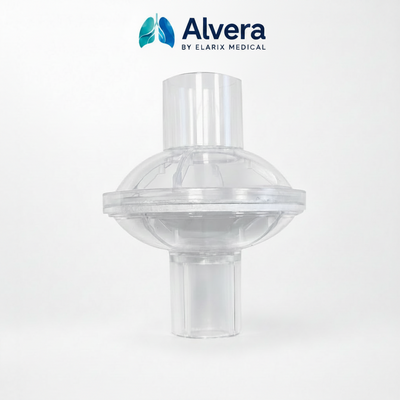
The Alvera AirLink Mini Connector links key components of your therapy circuit, ensuring that air flows smoothly and consistently from the device to the mask. A properly functioning connector maintains an airtight seal and allows the system to perform as designed.
Why replacement matters
Over time, the materials that make up the connector, typically medical-grade silicone or plastic, are subject to wear from repeated handling, cleaning cycles and pressure exposure. Replacing the connector at the right time helps preserve the integrity of your entire circuit and avoids unnecessary disruption to your routine.
Typical recommended replacement intervals
While individual use patterns vary, most manufacturers suggest inspecting small connectors and tubing accessories every one to three months, and replacing them at least every six months. Always refer to the specific guidance in your device documentation, as the Alvera AirLink Mini Connector may have its own stated service interval.
 |
Alvera AirLink Mini Connector for AirMini Travel CPAP Machines Single Pack £4.99 Buy nowView product |
Physical Signs That Indicate Replacement Is Needed
Visible cracks or deformation
One of the clearest signs that a connector needs replacing is visible physical damage. Inspect the component regularly under good lighting and look for:
- Hairline cracks along the body or at the connection points
- Warping or distortion that prevents a snug fit
- Discolouration that suggests material degradation
- Brittleness or stiffness that was not present when the part was new
Leaks and loss of seal
If you notice air escaping from the connector junction rather than flowing through to the mask, this is a strong indicator of a compromised seal. Even small leaks can affect the pressure delivered by your device and reduce the overall quality of your therapy session.
Difficulty fitting or connecting
A connector that no longer clicks into place firmly, or that feels loose during use, should be replaced promptly. Forcing a damaged connector can put stress on adjacent components and increase the risk of a mid-session disconnection.
Performance Changes That Suggest a Failing Connector
Unexpected pressure variations
If your device seems to be working harder than usual, or if you notice pressure inconsistencies that were not present before, a faulty connector may be the cause. Because the connector is part of the sealed circuit, even minor degradation can affect system performance.
Increased noise during use
A properly seated connector should not produce whistling, hissing or clicking sounds. If you begin to hear new noises at the junction, this often points to a seal that is no longer holding correctly.
Unusual odour or residue
Persistent odour from the connector area, or the presence of residue that does not clear with regular cleaning, can signal material breakdown. At this point, replacement is the most practical course of action.
How Cleaning Habits Affect Connector Lifespan
Following the correct cleaning procedure
Using harsh cleaning agents or very hot water can accelerate the degradation of plastic and silicone components. Always follow the cleaning instructions supplied with your Alvera AirLink Mini Connector to avoid shortening its usable life unnecessarily.
Drying thoroughly before reassembly
Moisture trapped inside a connector during storage can encourage residue build-up and contribute to material breakdown over time. Allow all components to dry fully in a clean, ventilated space before reassembling your circuit.
Keeping a replacement schedule
Many users find it helpful to note the date they install a new connector and set a calendar reminder to inspect it after one month and replace it at the six-month mark. This simple habit removes the guesswork and helps ensure you always have a reliable component in your circuit.
Summary: Keeping Your Circuit in Good Condition
The Alvera AirLink Mini Connector is a consumable part that plays a meaningful role in the performance of your respiratory therapy circuit. Replacing it at the right time, guided by both a regular schedule and the physical and performance signs described above, is the most straightforward way to keep your equipment working as intended.
- Inspect the connector every four to six weeks for cracks, discolouration or deformation
- Replace immediately if you detect air leaks, loose connections or unusual sounds
- Follow the manufacturer cleaning guidelines to maximise lifespan
- Keep a spare connector on hand so replacement is never delayed
- Consult your healthcare provider or equipment supplier if you are unsure whether a connector is still serviceable
|
Ready to move forward with the Alvera AirLink Mini Connector for AirMini Travel CPAP Machines Single Pack? Shop the Alvera AirLink Mini Connector for AirMini Travel CPAP Machines Single Pack |